Robot Chef

Robot Chef: AI recipes from any dish name

Type the name of any dish and Robot Chef writes the recipe, or let Fanciful Robot invent a new one from a cuisine, a time and the ingredients you want to use.

Free to download. Rewarded videos and token packs are optional.

About the AI: recipes, cooking tips, nutritional values and dish images are generated by AI (OpenAI models) and can be wrong. Check before you cook.

What Robot Chef does

Robot Chef is an AI cooking app for Android and iOS, made by Sevan Soukiassian (S-Games & Apps), the developer of Azmar Quest. It has two robots, and each one cooks in its own way.

Robot Chef

Type the name of any dish, like “ramen with chicken” or “carbonara”, and Robot Chef writes the recipe for it.

Use it when you already know what you want to eat, and you need the ingredients and the steps.

Fanciful Robot

Fanciful Robot invents a new dish. You pick:

  • a type of dish
  • a cuisine or nationality
  • a preparation time, up to 120 minutes
  • the ingredients you want to use

How it works

  1. Pick a robot

    Robot Chef for a dish you already have in mind, Fanciful Robot for something new.

  2. Choose the options

    How many people, which diet, and whether you want nutritional values and an image of the dish.

  3. Start cooking

    A recipe costs 1 token, or 3 with an AI image. While it cooks, a fun cooking tip appears.

  4. Read, copy, keep

    You get the ingredients, numbered steps and the preparation time. Copy the recipe, or mark it as a favorite.

Screenshots

From the English version of the app.

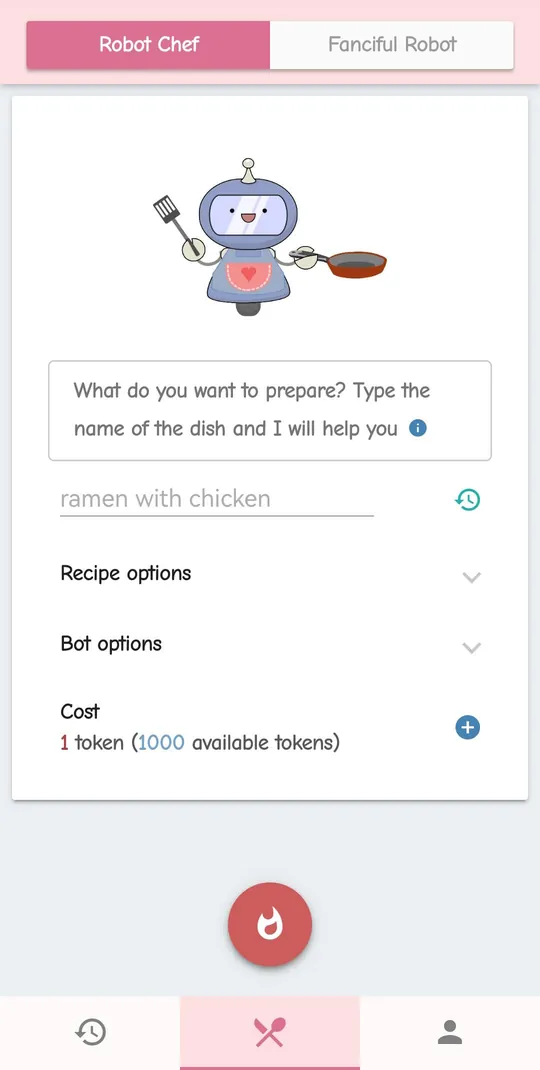
  • The Robot Chef screen: the robot holds a spatula and a pan above the field for the dish name, with ramen with chicken as the example, followed by Recipe options, Bot options and a cost of 1 token.
    Robot Chef: type the dish you want
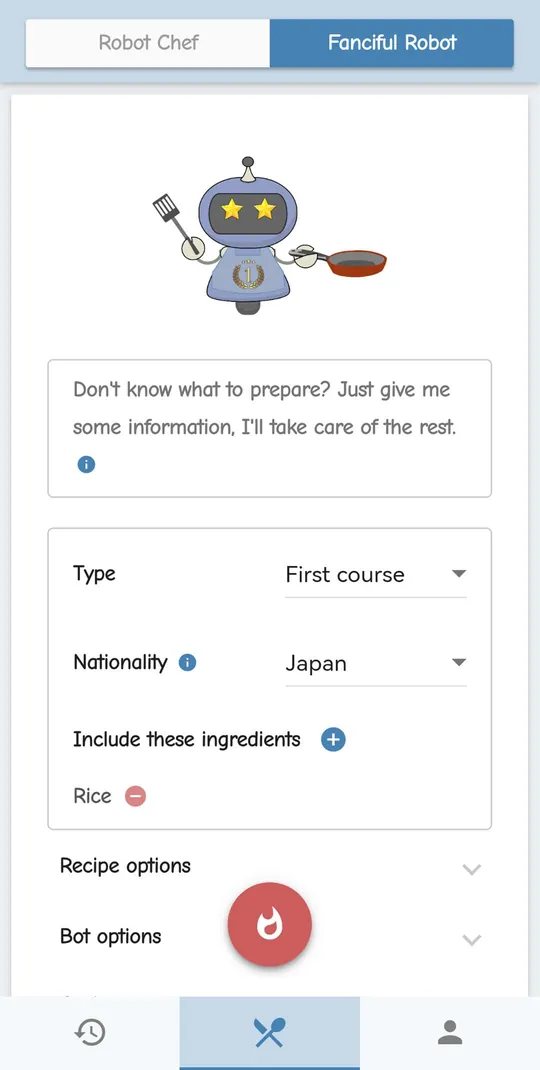
  • The Fanciful Robot screen: Type is set to First course, Nationality to Japan, and rice is added to the ingredients to include.
    Fanciful Robot: pick a type, a cuisine and ingredients
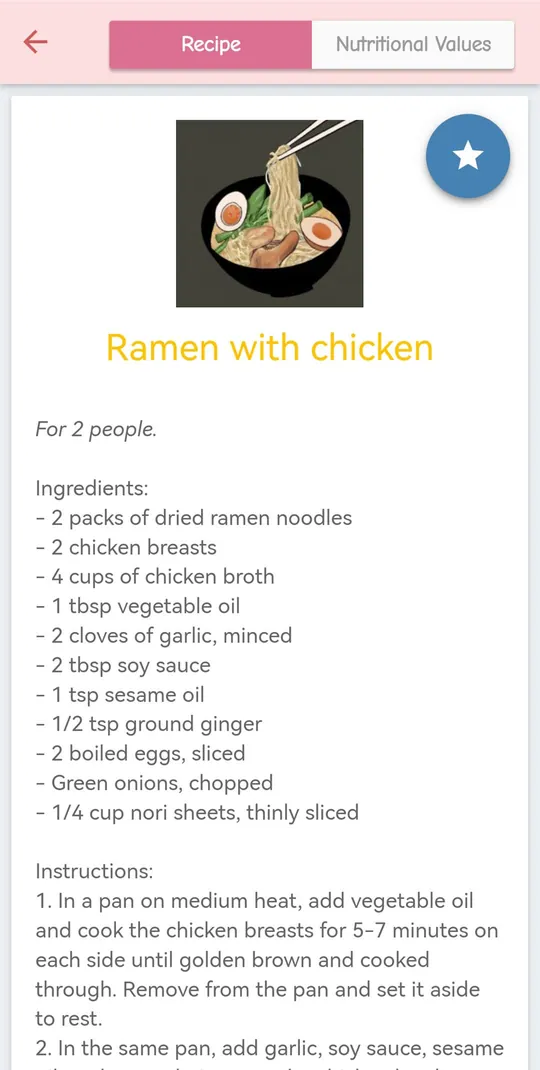
  • A recipe for ramen with chicken for 2 people: an AI image of the bowl, the list of ingredients and the numbered instructions, with a Nutritional Values tab and a favorite star.
    A recipe, with its AI image
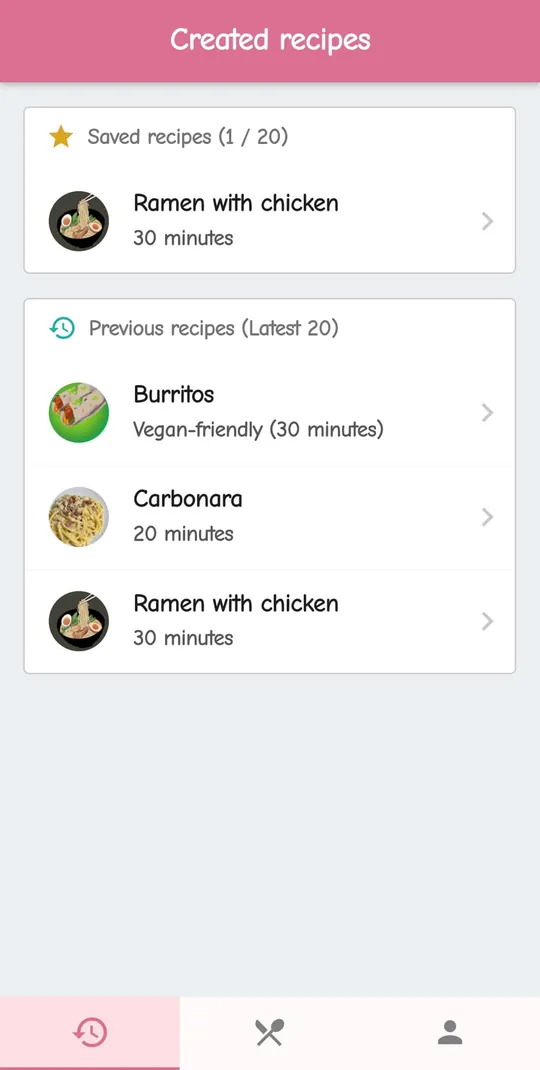
  • The Created recipes screen: ramen with chicken among the saved recipes, and burritos (vegan-friendly), carbonara and ramen with chicken among the previous recipes, each with its preparation time.
    Favorites and history

Options for every recipe

Both robots take the same options, so either one can cook a vegan dinner for six.

People and diets

  • Any number of people from 1 to 10.
  • Vegetarian, vegan, gluten-free or lactose-free.

The AI tries to follow the diet you pick, but it can slip: read the ingredients before you cook.

Extras

  • Nutritional values, in beta: they are estimates and may not be accurate.
  • An AI image of the dish, for 2 extra tokens. It shows what the AI imagines, not a photo of the real dish.

Your recipes stay on your phone

Robot Chef has no account and no cloud. Every recipe is saved only on your phone.

That also means Robot Chef keeps no copy of them: if you uninstall the app or clear its data, it cannot restore them.

What you can do with them

  • History: your last 20 recipes, ready to open again.
  • Favorites: star a recipe to keep it with your favorites.
  • Copy: copy a recipe and paste it into your notes or a message.

Tokens, and how to get them for free

Robot Chef is free to download. Each recipe costs tokens, and you can get them without paying.

What a recipe costs

  • New installs start with 5 tokens.
  • A recipe costs 1 token.
  • A recipe with an AI image costs 3 tokens.

Token packs

If you want more, packs of 100, 500 and 1000 tokens can be bought in the app. They are optional.

Free tokens

  • Rewarded videos: +5 tokens for each video you choose to watch, up to 5 videos an hour and 20 a day.
  • Main Story: chapters give free tokens, then a free token every day from chapter 10, and 3 a day from chapter 20.

Main Story and themes

Every recipe you cook earns Robo Points. Use them to unlock the 20 chapters of the Main Story.

Chapters give free tokens, a free token every day from chapter 10 (3 a day from chapter 20), and two extra themes: green and greyscale.

Settings

  • 5 color themes
  • 3 font sizes
  • Sounds on or off

9 languages

The app is available in nine languages.

  • English
  • Spanish (Español)
  • German (Deutsch)
  • French (Français)
  • Portuguese (Português)
  • Italian (Italiano)
  • Russian (Русский)
  • Japanese (日本語)
  • Croatian (Hrvatski)

Before you cook

Every recipe in Robot Chef is written by an AI, and it can be wrong. Read it with the same care you would give a recipe from a stranger:

  • Always check the ingredients for allergens and intolerances, yours and those of everyone you cook for, even when you picked a diet option.
  • Cook meat, poultry, fish and eggs to a safe temperature, whatever the recipe says.
  • Nutritional values are estimates and may not be accurate.
  • Nothing in Robot Chef is medical or dietary advice. If you follow a diet for health reasons, ask your doctor or a dietitian.

If a recipe looks wrong or unsafe, report it from inside the app.

Frequently asked questions

Is Robot Chef free?

It is free to download on Android and iOS. Recipes are paid with tokens: you start with 5, you can earn more for free with rewarded videos you choose to watch and with the Main Story, and you can buy optional packs of 100, 500 or 1000 tokens.

Which languages is Robot Chef in?

Nine: English, Spanish, German, French, Portuguese, Italian, Russian, Japanese and Croatian.

Does Robot Chef use AI, and which one?

Yes. Recipes, cooking tips, nutritional values and dish images are generated by OpenAI models, for both the text and the images.

Can the AI be wrong?

Yes. A recipe can contain mistakes, such as an ingredient that does not fit the diet you picked or a wrong quantity or cooking time, and the image may not look like the real dish. Nutritional values are estimates. Always check the ingredients for allergens and intolerances before you cook. Robot Chef is not medical or dietary advice.

Where are my recipes stored?

Only on your phone. The history keeps your last 20 recipes, next to the ones you marked as favorites. There is no account and no cloud copy, so Robot Chef cannot restore them if you uninstall the app or clear its data.

Do I need an account?

No. There is no sign-up and no login: you open the app and cook.

How do I report a wrong or harmful AI answer?

Report it from inside the app, which lets you report AI-generated content. You can also write to sevan1189@gmail.com.

How can I contact the developer?

Write to sevan1189@gmail.com, or send a message to Robot Chef on Facebook Messenger.